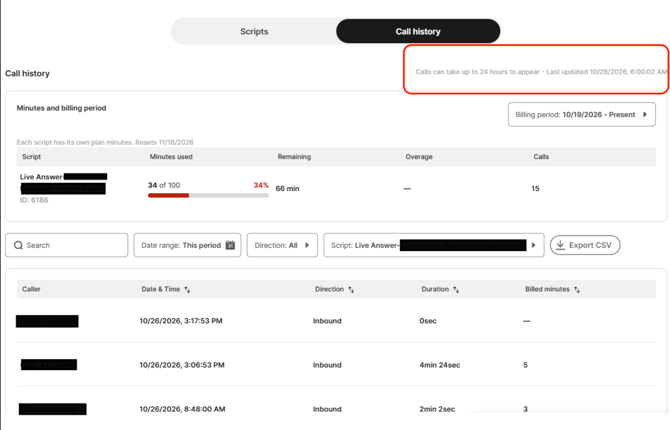
Viewing Usage
Viewing Calls
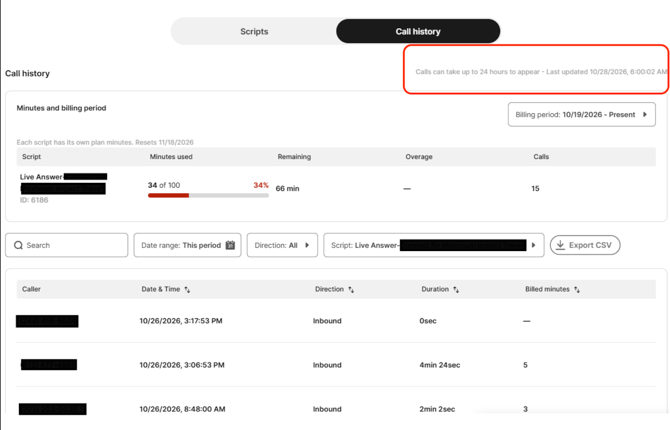
Minutes & Billing Dashboard
Allows you to view your Live Answer Connect usage directly within the platform. To access this dashboard, follow the steps below.
1. In the left-hand menu of your account, select the Admin option
2. Select Live Receptionist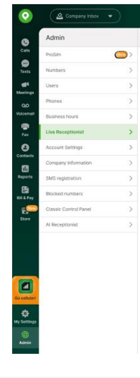
3. Select the Call History option at the top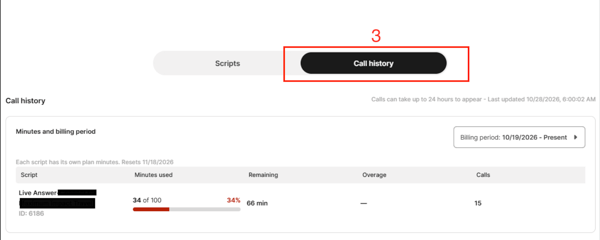
Key Features
1. Minutes Used: View the total number of receptionist minutes used during the current billing period.
2. Remaining Minutes: Track the number of minutes remaining in each script's plan.
3. Usage Progress Bar: Visual indicator displaying the percentage of plan minutes consumed.
4. Overage Tracking: View any additional minutes used beyond the allotted plan.
5. Billing Period: View usage based on the selected billing cycle.
6. Total Calls: See the total number of calls handled by each Live Receptionist script.
7. Plan Reset Date: Identify when the plan minutes will reset.
Each Live Receptionist script has its own allocated plan minutes, allowing you to monitor usage individually.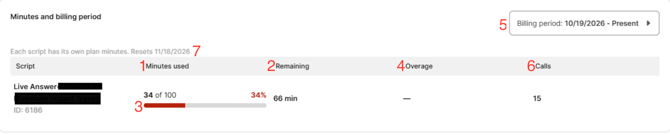
Call History
The Call History section provides detailed information about Live Receptionist call activity.
Key Features:
1. Caller Information: View the phone number associated with each call.
2. Date & Time: See when each call occurred.
3. Call Direction: Identify whether a call was inbound or outbound.
4. Call Duration: Review the length of each call.
5. Billed Minutes: View the number of minutes billed for each call.
6. Search & Filters: Search call records and filter by date range, direction, or Live Receptionist script.
7. Sorting: Organize call records by date, direction, duration, or billed minutes.
8. Export CSV: Download call history records for reporting and analysis. Exported files include Call ID and Script ID columns to help distinguish individual calls and scripts.
Call records may take up to 24 hours to appear. This information provides greater transparency into call activity and how receptionist minutes are being consumed.
Search, Filters & Sorting
Quickly locate specific calls using the new search and filtering options.
Available Options:
• Search: Find specific call records.
• Date Range: Filter calls by a selected time period.
• Call Direction: Filter by inbound or outbound calls.
• Script Selection: View call history for a specific Live Receptionist script.
• Column Sorting: Organize call records by date, direction, duration, or billed minutes. 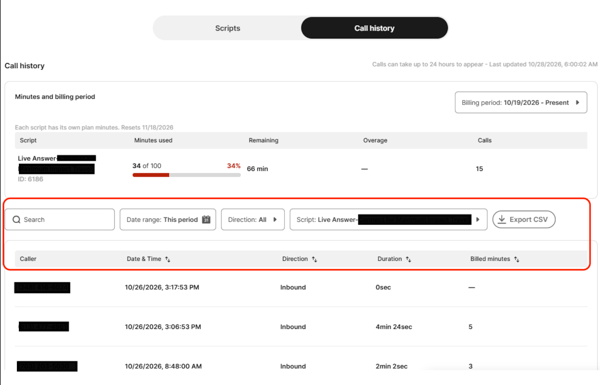
Export Call History
Export your call history into a CSV file, making it easier to review call records outside the platform, maintain records, or analyze usage.
Exported files include two additional columns, Call ID and Script ID, to help easily identify and distinguish individual calls and scripts.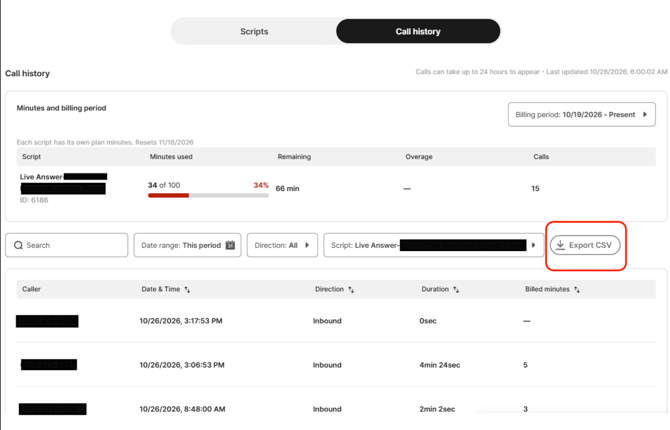
Call History
Call records may take up to 24 hours to appear in the dashboard.
A Last Updated timestamp is displayed in the upper right hand corner of the dashboard to help you identify when the information was most recently refreshed.